STEAM BIG PICTURE
Pair the F310 with Big Picture and navigate Steam, surf the web, play games, and more from the comfort of your couch. Bring your entire library of Steam games to the living room, grab your F310, sit back, and enjoy.
STEAM BIG PICTURE
Pair the F310 with Big Picture and navigate Steam, surf the web, play games, and more from the comfort of your couch. Bring your entire library of Steam games to the living room, grab your F310, sit back, and enjoy.
FAMILIAR CONSOLE-LIKE LAYOUT
Your instincts will guide your actions over the familiar layout. You’ll be off and gaming in no time. Crafted for a console-like control experience and innovated from traditional design, F310 fits like a glove.
FAMILIAR CONSOLE-LIKE LAYOUT
Your instincts will guide your actions over the familiar layout. You’ll be off and gaming in no time. Crafted for a console-like control experience and innovated from traditional design, F310 fits like a glove.
EXCLUSIVE FOUR-SWITCH D-PAD
Standard D-pads rest on a single pivot point, resulting in mushy control. The D-pad glides over four individual switches for a more responsive, tactile feel.
EXCLUSIVE FOUR-SWITCH D-PAD
Standard D-pads rest on a single pivot point, resulting in mushy control. The D-pad glides over four individual switches for a more responsive, tactile feel.
WORKS WITH ANDROID TV™
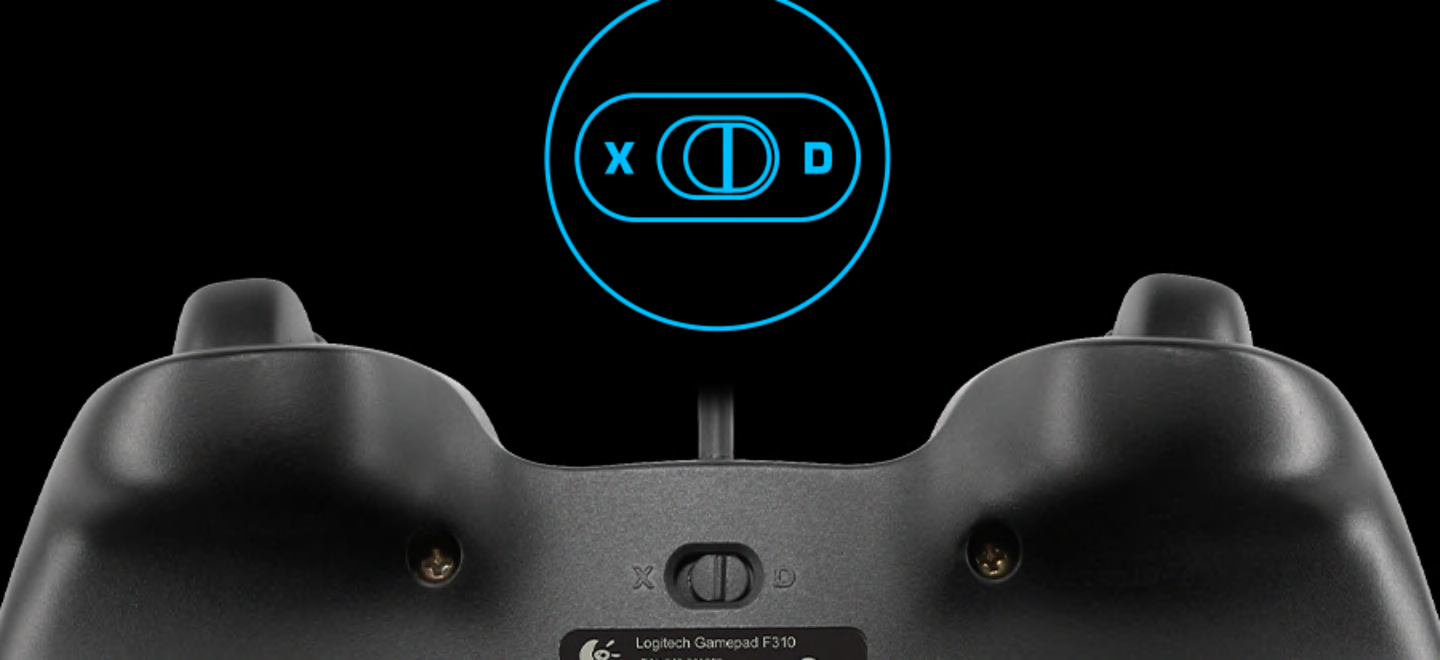
Our game controllers work well with Sony Android TV™s. With the controller switch in XID mode, our console-like layout will give you the edge as you compete. Smooth curves and contoured rubber grips provide long, comfortable play sessions. Standard Android TV controls—provided through the Logitech Logo button on the gamepad, together with the Back key on the controller—allow you to navigate your Android TV seamlessly and kick back from the couch with console-like control.
WORKS WITH ANDROID TV™
Our game controllers work well with Sony Android TV™s. With the controller switch in XID mode, our console-like layout will give you the edge as you compete. Smooth curves and contoured rubber grips provide long, comfortable play sessions. Standard Android TV controls—provided through the Logitech Logo button on the gamepad, together with the Back key on the controller—allow you to navigate your Android TV seamlessly and kick back from the couch with console-like control.
EASY TO SET UP AND USE
Change standard commands or adapt the F310 gamepad for play with an unsupported title using Logitech profiler software. Buttons and controls are fully programmable and can even mimic keyboard and mouse commands.
EASY TO SET UP AND USE
Change standard commands or adapt the F310 gamepad for play with an unsupported title using Logitech profiler software. Buttons and controls are fully programmable and can even mimic keyboard and mouse commands.